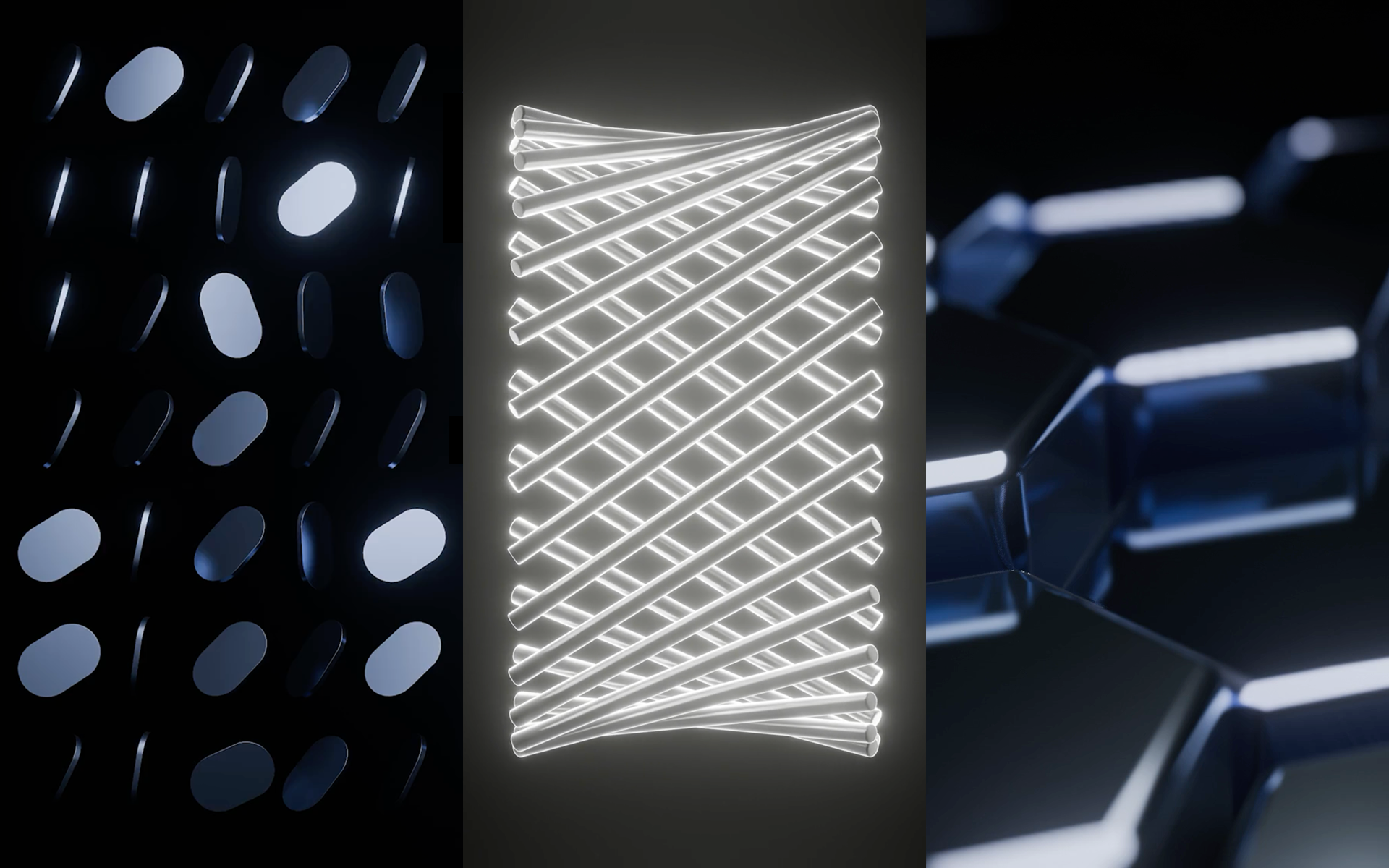
I made three looping animations in Blender with Geometry Nodes. Each one starts from a single simple shape, instanced across the scene, with all of the movement driven by one animated noise texture — no per-object keyframes.
The first loop is a ring of long cylinders rotating in sync. As they turn, the overlapping forms produce shifting interference patterns, all from that one rotation value.
The second is a grid of hexagons with their heights sampled from the noise texture, so the surface reads as waves traveling across it.
The third starts from a flat pill profile, extruded into 3D and arranged in a grid. Each instance rotates based on the same noise field, so the whole grid twists together.
Process
Everything is rendered in Eevee, Blender's realtime engine. It renders each frame in a fraction of the time Cycles would take, and for flat geometric work like this the difference doesn't matter.
The reason Geometry Nodes works so well for animation is that everything in the graph is just numbers. To get motion, I animated a single value — the W input of a 4D noise texture — and every instance in the scene follows it. One animated property, three finished loops.
The material is a glossy metal with directional lighting and bloom. Most of the work was dialing in the contrast between highlights and shadows, which is what sells the whole thing.
Next steps
The natural follow-up is combining setups like these into one longer motion graphic — closer to what you'd see in an explainer video than three isolated loops.