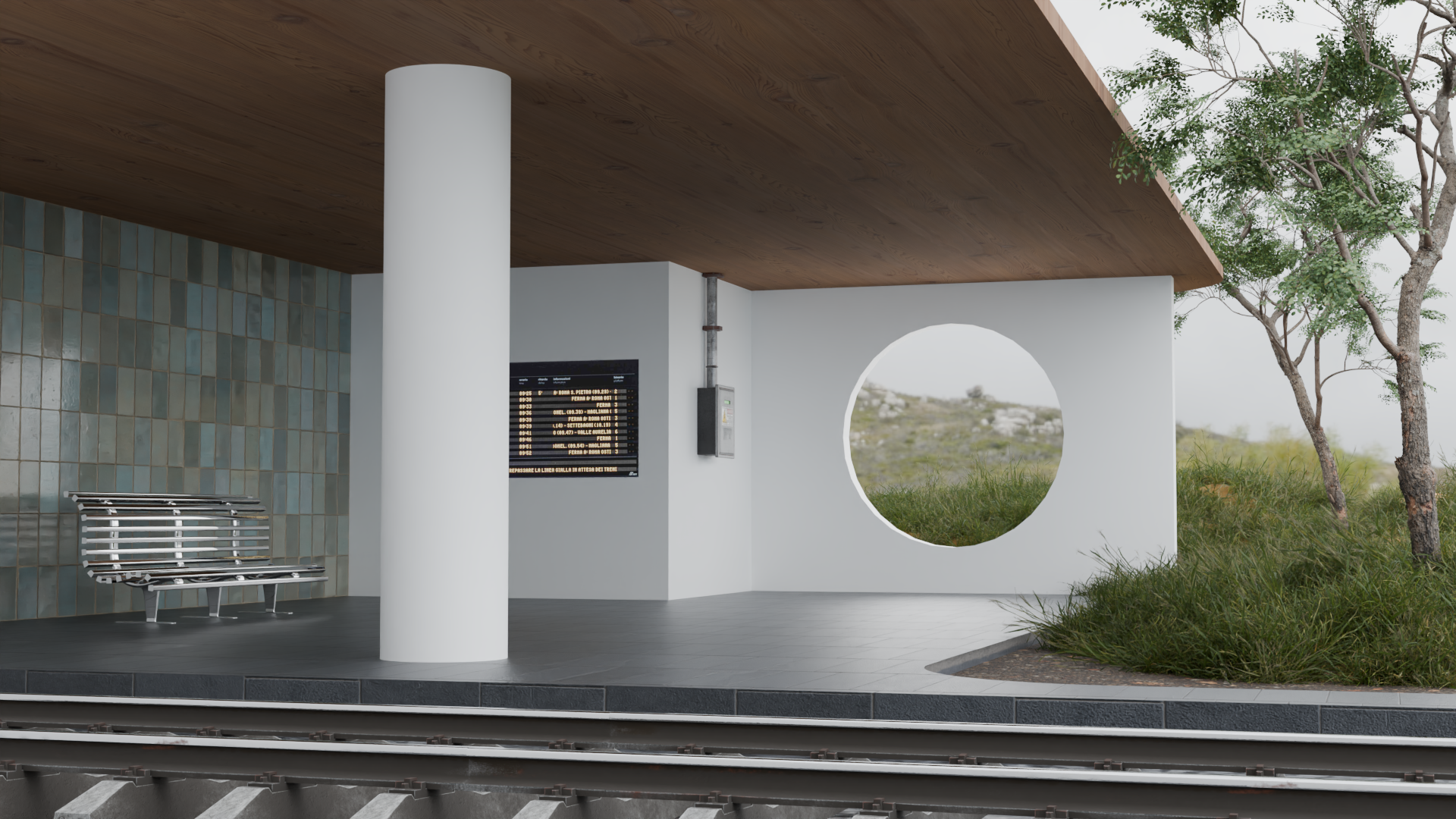
I created a 3D render of a modern train station in Blender. It includes modern architectural elements, trees and grass in the background, and various things you'd find in a train station. Blender is a free and open-source 3D rendering software, and it has a ton of powerful features that I used in this render.
I was inspired by abstract architecture and train stations while creating this, and I think combining these ideas turned out really interesting. For the modeling and texturing, I built out the scene in Blender and used its texture nodes to give the surfaces the right look.
Resources
I downloaded some of the 3D assets — including the trees, the fusebox, the train timetable, and all the textures — from ambientCG and Poly Haven. These are free libraries of models, materials, and textures you can download and import into almost any 3D software. The assets are photoscanned from the real world and turned into assets you can use in 3D. I would definitely use both of these sites again, and I don't think I could create a render without them, especially the textures.
How the idea evolved
Going into this project, I wanted to create an abstract architectural render. I had the architecture inspiration but not the train station part. As I was creating my scene, I realized it sort of looked like a modern train station, so I started looking at reference images. I added the tracks in the foreground, as well as the timetable and fusebox on the wall to give it the train station aesthetic. I'm really happy with how the architecture and train station idea turned out.
Nature elements
I want people to notice the nature elements I incorporated into the background. I spent a lot of time building a grass system with Blender's Geometry Nodes, a way of procedurally modifying or generating meshes. I used this system to scatter the grass randomly on the hills, even varying the height and rotation. Those beautiful trees were photoscanned by the Poly Haven team.
What's next
I recently found a plugin for Blender called Graswald that provides really great tools for creating nature environments. It has tons of high-quality assets built in, and it makes the nature workflow so much better with features like pre-configured sets of plants you can scatter with one click. I would like to incorporate this tool into my workflow in future projects, and I think it could be really cool.